This is an old revision of the document!
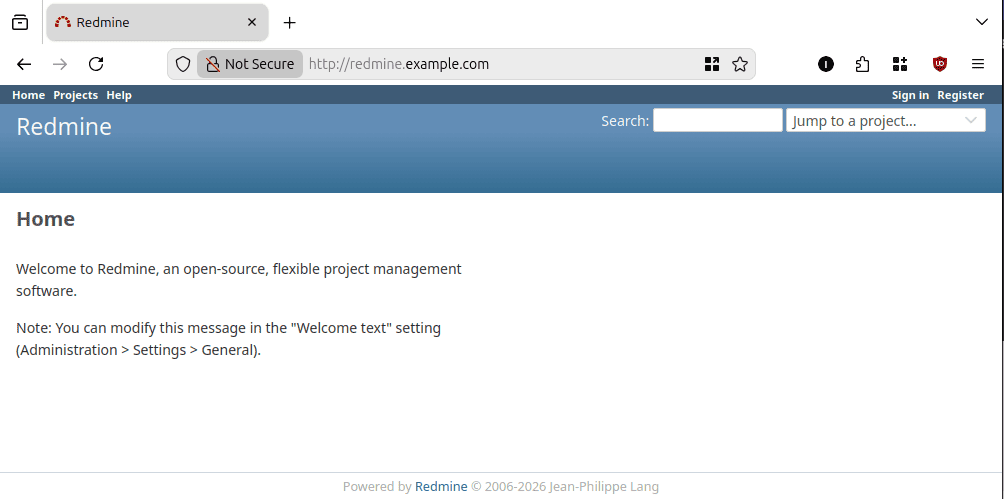
Redmine – Project Management Deployment (Debian 13)
Update System
apt update && sudo apt upgrade -y
Install Ruby, Database (Postgres), Webserver (apache2)
apt install ruby3.3 postgresql-17 apache2 -y
Install dependency
apt -y install ruby-dev ruby-psych libyaml-dev libxml2-dev libxslt1-dev libpq-dev zlib1g-dev libcurl4-openssl-dev postgresql-server-dev-all libapache2-mod-passenger imagemagick
Download redmine
Pastikan ambil packages web versi terakhir ⇒ https://www.redmine.org/projects/redmine/wiki/download
# Download redmine packages last version
wget https://www.redmine.org/releases/redmine-6.1.1.tar.gz
# Extract packages
tar zxvf redmine-6.1.1.tar.gz
# Pindah ke folder webserver
mv redmine-6.1.1 /var/www/redmine
Membuat Database untuk redmine
su - postgres
psql
CREATE USER redmine WITH PASSWORD 'password';
CREATE DATABASE redmine OWNER redmine;
\q
Notes : ganti password dengan password yang benar
Konfigurasi Redmine
* Konfigurasi database
nano /var/www/redmine/config/database.yaml
- database.yaml
production:
  adapter: postgresql
  database: redmine
  host: localhost
  username: redmine
  password: password
  encoding: utf8
Notes : ganti password dengan password yang benar
* Konfigurasi SNPT
Untuk SMTP Server kita akan gunakan google apppassword
nano /var/www/redmine/config/configuration.yaml
- configuration.yaml
production:
  delivery_method: :smtp
  smtp_settings:
    enable_starttls_auto: true
    address: "smtp.gmail.com"
    port: 587
    domain: "smtp.gmail.com"
    authentication: :plain
    user_name: "[email protected]"
    password: "sandi-aplikasi"
Notes : ganti [email protected] dengan akun gmail yang aktif dansandi-aplikasi dengan sandi yang di generate oleh gmail
Configure Webserver (apache2)
nano /etc/apache2/sites-available/redmine.conf
- redmine.conf
<VirtualHost *:80>
    ServerName redmine.example.com

    DocumentRoot /var/www/redmine/public

    <Directory /var/www/redmine/public>
        Require all granted
        AllowOverride all
        Options -MultiViews
    </Directory>

    RailsEnv production
    PassengerEnabled on

    ErrorLog ${APACHE_LOG_DIR}/redmine_error.log
    CustomLog ${APACHE_LOG_DIR}/redmine_access.log combined
</VirtualHost
a2ensite redmine.conf
systemctl reload apache2