This is an old revision of the document!
Proxmox : Mendeploy Mikrotik CHR pada Proxmox [U]
Step 01 : Dapatkan Mirktoik CHR Images
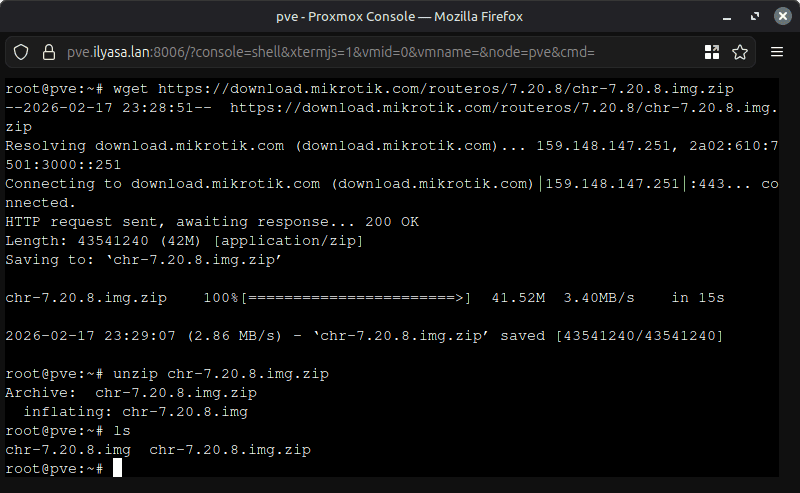
Masuk shell/ssh ke proxmox server. Download images mikrotik chr images dari https://mikrotik.com/download/chr, lalu extrak files images
# Download the images
wget https://download.mikrotik.com/routeros/7.20.8/chr-7.20.8.img.zip
# Extract the files
unzip chr-7.20.8.img.zip
Step 02 : Membuat vm untuk Mikrotik CHR di proxmox
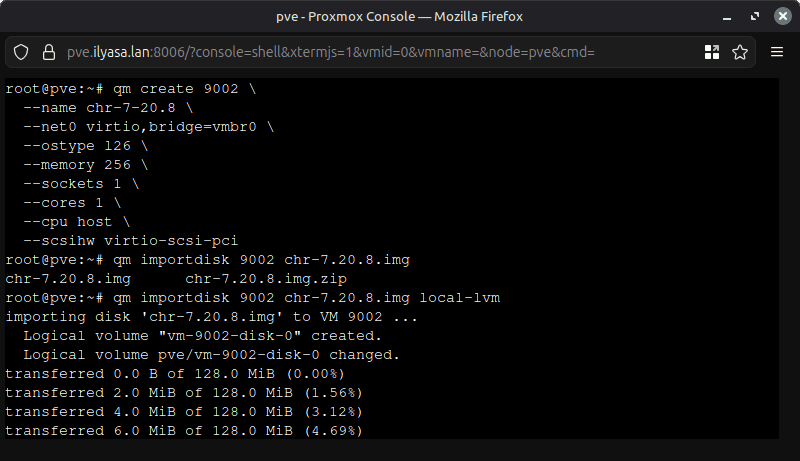
Masuk shell/ssh ke proxmox server. dan buatlah vm dalam cli sesuaikan VMID (9002) dan juga nama vm (chr-7-20.8)
# Create VM For CHR
qm create 9002 \
  --name chr-7-20.8 \
  --net0 virtio,bridge=vmbr0 \
  --ostype l26 \
  --memory 256 \
  --sockets 1 \
  --cores 1 \
  --cpu host \
  --scsihw virtio-scsi-pci
Import disk yang telah diektrac pada step 1 sebelumnya ke vm yang telah dibuat 9002
# Import disk
qm importdisk 9002 chr-7.20.8.img local-lvm
—