JNCIA-Junos : Useful show system Commands on Junos
Command show system merupakan command pada Junos CLI Operational Mode yang digunakan untuk melihat informasi dasar perangkat.
Informasi yang dapat diperiksa meliputi:
- Hostname perangkat.
- System uptime.
- Date dan time.
- Hardware model.
- Versi Junos OS.
Command ini sering digunakan untuk melakukan pengecekan awal perangkat sebelum melakukan troubleshooting.
1. Verifying Device Hostname
Hostname perangkat dapat dilihat langsung melalui prompt Junos CLI.
Contoh:
ilyasa@R1>
Untuk melihat konfigurasi hostname:
ilyasa@R1> show configuration system host-name
2. Verifying System Uptime
Untuk melihat informasi waktu dan uptime perangkat:
ilyasa@R1> show system uptime
Command ini menampilkan:
- Current time.
- Waktu perangkat melakukan boot.
- Total uptime perangkat.
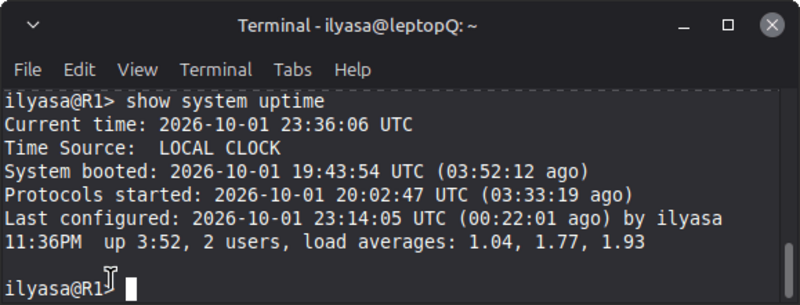
Informasi uptime berguna untuk mengetahui apakah perangkat mengalami restart atau sudah berjalan dalam waktu lama.
3. Verifying Device Model and Junos Version
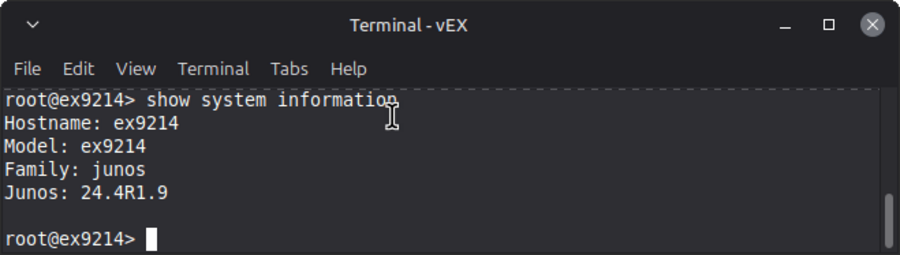
Untuk melihat informasi hardware dan software perangkat:
ilyasa@R1> show system information
Informasi yang ditampilkan:
- Hardware model.
- Junos OS version.
- Informasi sistem lainnya.
Contoh:
4. Additional Useful show Commands
Selain informasi system, beberapa command show yang sering digunakan:
Verify Chassis Hardware
ilyasa@R1> show chassis hardware
Digunakan untuk melihat:
- Model chassis.
- Routing Engine.
- Line Card.
- Komponen hardware.
Verify Interface Status
ilyasa@R1> show interfaces terse
Digunakan untuk melihat:
- Status interface.
- IP address.
- Operational state.
Verify Routing Table
ilyasa@R1> show route
Digunakan untuk melihat:
- Routing table.
- Network route.
- Next-hop.
Verify Protocol Status
Contoh:
ilyasa@R1> show ospf

ilyasa@R1> show bgp
Digunakan untuk melihat status routing protocol.
Summary
Command penting untuk verifikasi awal perangkat:
| Command | Function |
|---|---|
| show system uptime | Melihat waktu dan uptime perangkat |
| show system information | Melihat hardware model dan Junos version |
| show chassis hardware | Melihat informasi hardware |
| show interfaces terse | Melihat status interface |
| show route | Melihat routing table |
Command-command tersebut digunakan sebagai langkah awal dalam melakukan monitoring dan troubleshooting perangkat Juniper.