This is an old revision of the document!
SSH Tunneling (SSH Port Forwarding)
SSH tunneling, also known as SSH port forwarding, is a technique used to establish a secure and encrypted connection between a client and a server, allowing services and port traffic to be safely forwarded.
This method is especially useful for securely transferring data across a network using protocols that are not encrypted (such as VNC or FTP), bypassing firewalls, or accessing geo-restricted content. Essentially, any TCP port can be forwarded, with data transmitted over a secure SSH connection.
There are three main types of SSH port forwarding:
- Local port forwarding: Routes traffic from a specific local port on the client machine to a designated port on a remote server via SSH.
- Remote port forwarding: Routes traffic from a port on the remote server to a selected port on the client machine.
- Dynamic port forwarding: Creates a SOCKS proxy on the client, allowing traffic from multiple applications to be routed through the SSH tunnel.
This guide will walk you through configuring Local, Remote, and Dynamic port forwarding with encryption.
Local Port Forwarding
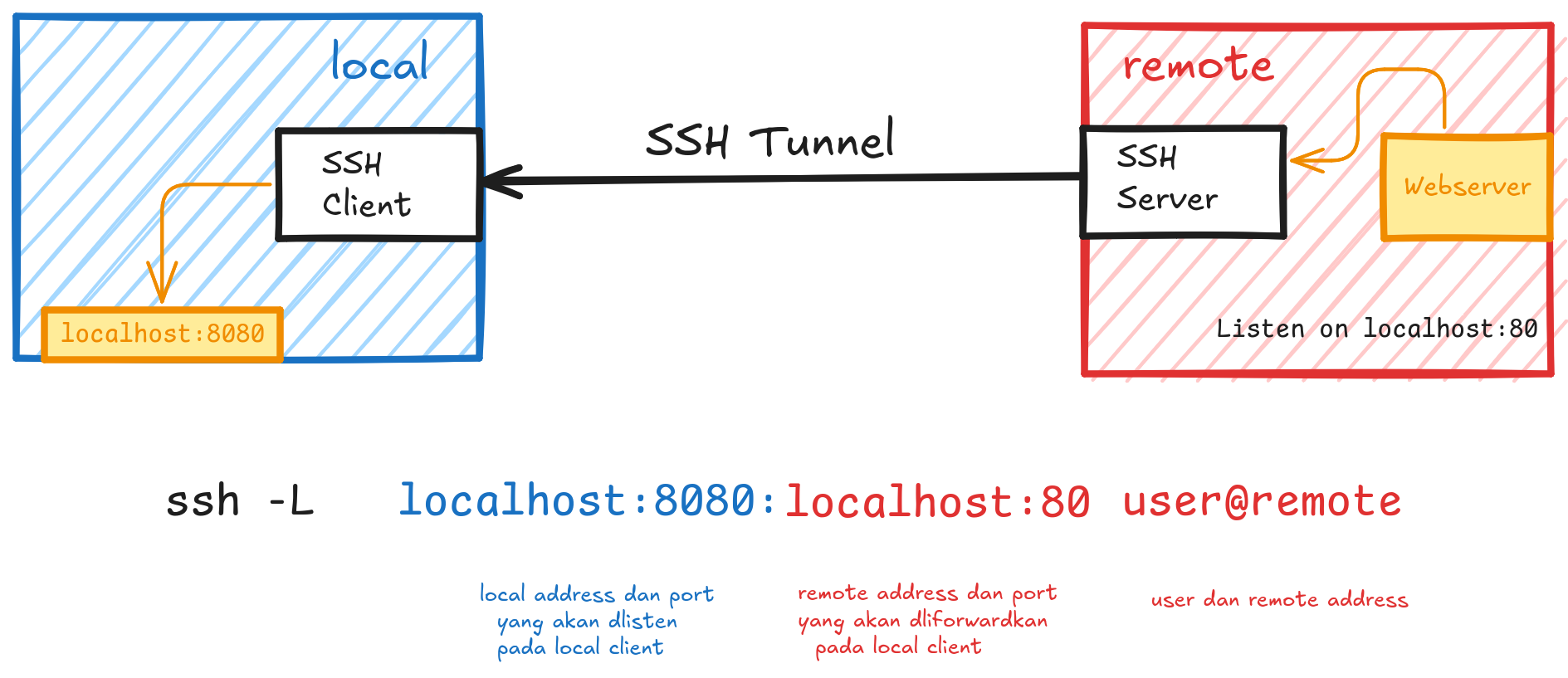
Local port forwarding allows you to access a service from a remote server by creating a local port on your machine, which forwards traffic to the remote server. It’s commonly used to bypass firewalls and access services running on remote networks.
ssh -L [local_port]:[remote_host]:[remote_port] [user]@[ssh_server]
Example: You want to access a web server on `remote_server` (port 80), but it's not directly accessible. You can create a local tunnel:
Remote Port Forwarding
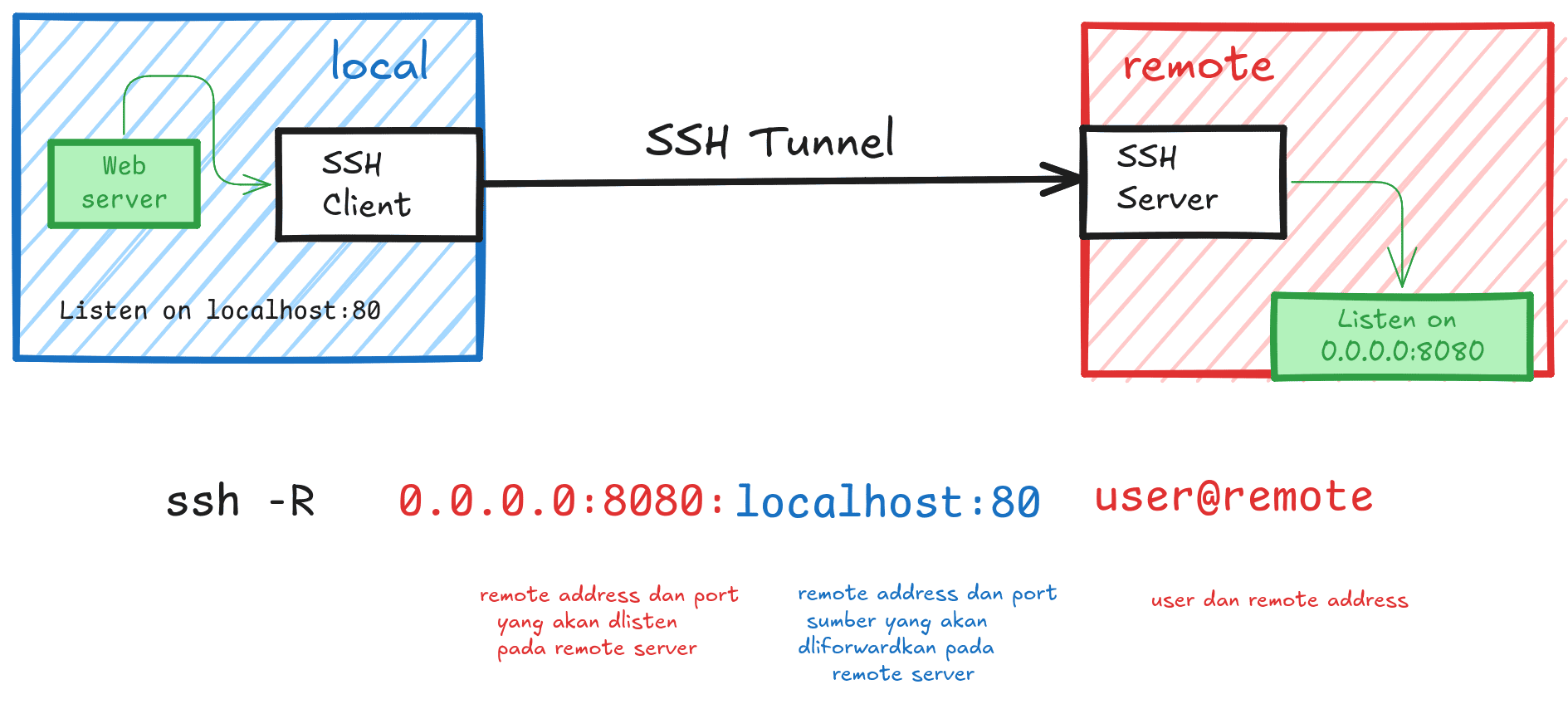
Remote port forwarding allows the remote server to access a local service through the SSH connection. This is useful when you want to expose a local service to a remote server.
ssh -R [remote_port]:[destination_address]:[local_port] [username]@[ssh_server]
Example: You have a local web server running on port 80 and want someone on a remote machine to access it. You can use:
Dynamic Port Forwarding
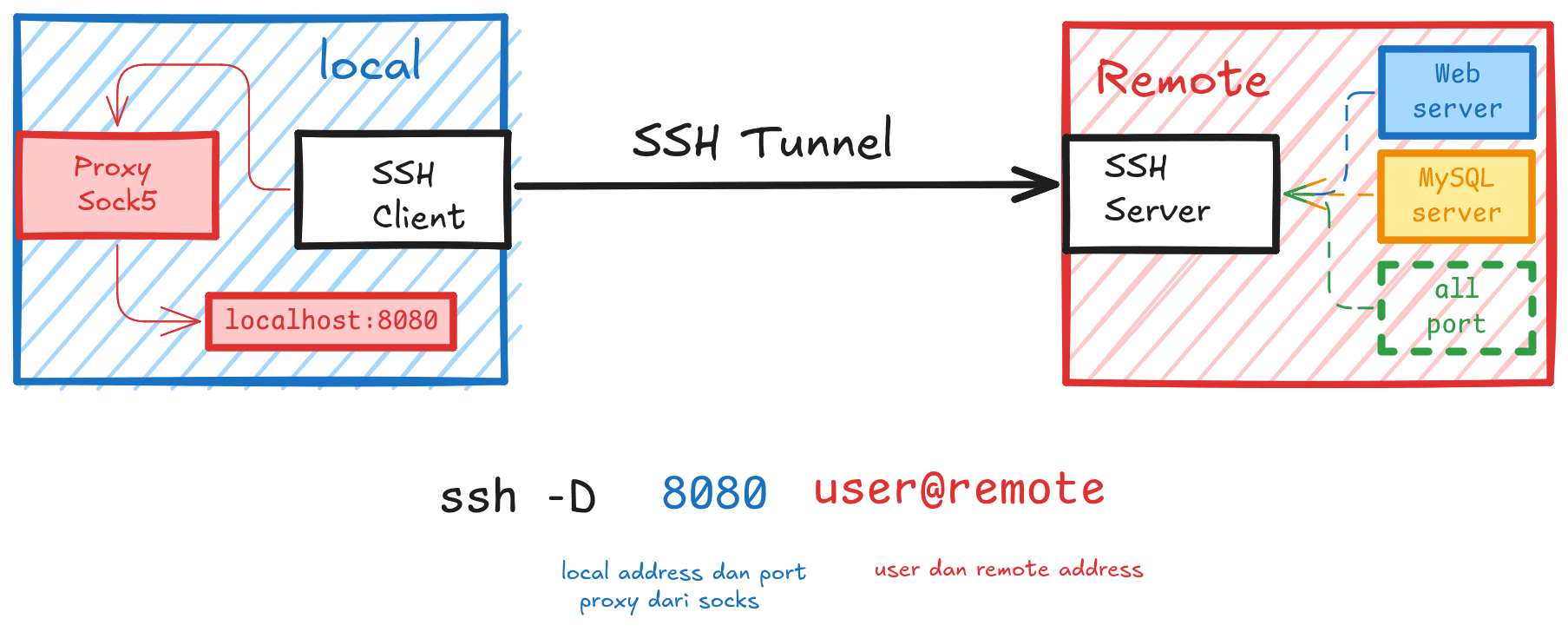
Dynamic port forwarding works like a SOCKS proxy, enabling you to route all kinds of traffic (e.g., web browsing) through the SSH connection. It's useful for bypassing firewalls and proxy servers.
ssh -D [local_port] [username]@[ssh_server]
Example: This will create a SOCKS proxy on your local machine at port 8080, and any traffic routed through it will be forwarded via `remote_server`.
Pro Tip: Use `ssh -f -N -L` to run in the background.